Docs
Position Records
Review & Playbooks
Position Templates
What a Position Template is
A Position Template is a starting body for a new position. It can hold fixed review questions, checklists, and screenshot placeholders. It does not hold the account, symbol, side, or execution result for one trade.
When you create a position from a template, the template body replaces the normal empty Notes body. You still enter Account, Symbol, and Side under Create New Position. The complete validation flow still runs.
Create a template from its dedicated entry point
Create templates only from the Templates menu beside New Position. Do not treat one as a generic entry. The generic creation path does not accept Position Templates.
- Select the down arrow beside
New Positionto openTemplates. - Select
Create New Template. - Enter a nonempty name under
Enter template name, then press Enter. - When the page shows
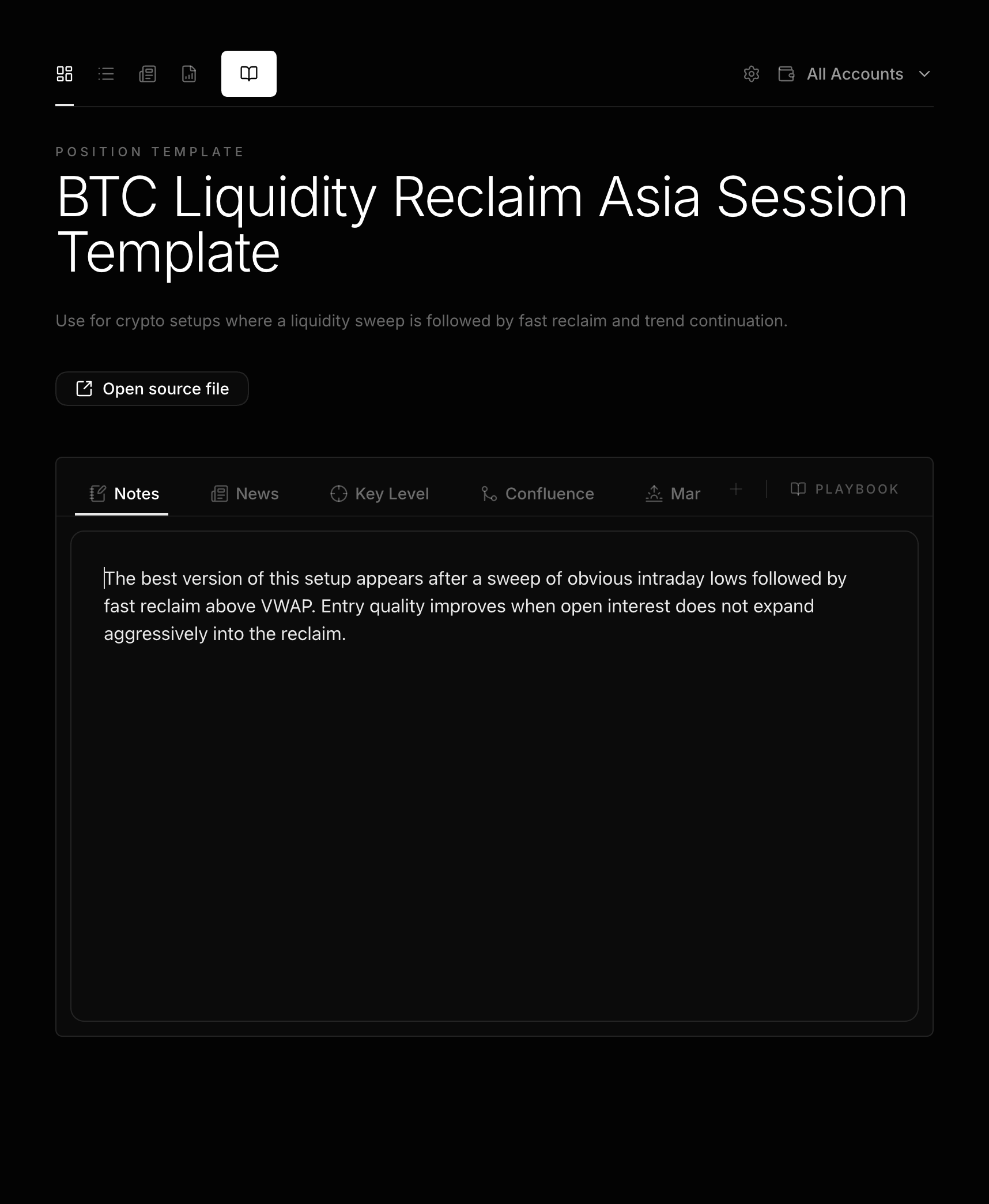
Position Template, selectOpen source file. - Write the Markdown body to copy below the file properties.
Templates are stored under LucrJournal/templates/ with five-digit sequences such as TPL-00001.md. Use Edit template file to reopen an existing template.
Write the template body
The template body is the Markdown used when a new position is created. Keep it short. Include only structure that you use every time.
# Notes

## Entry thesis

## Execution mistakes

## Review conclusion
# Notes is the body heading for the default Notes area. The template body is not validated against the default position structure, so a completely different body is also accepted.
If Templater is installed, LucrJournal tries to expand the template body while creating the position. Without Templater, it uses the raw body. If expansion fails, it logs the error and also falls back to the raw body. The template file is not rewritten.
Create a position from a template
Template creation means choosing a body starting point, then using the normal position creation flow.
- Select the down arrow beside
New Position. - Under
Templates, select a template name. The pencil button beside it isEdit template file. Create New PositiondisplaysTemplateand the selected name.- Complete
Account,Symbol, andSide. - Select
Save Position.
Saving still validates the existing account, symbol format, side, file identity, and position property shape. If the template file no longer exists, creation fails before writing the position.
After creation, LucrJournal still writes the Open status, current-timezone Opened At, and the other normal defaults. Only the body source changes to the template.
Next step
Return to Position Details to add the real trade, or continue to Dashboard Daily Review for daily review.