Docs
Position Records
Review & Playbooks
Accounts and Symbols
What are accounts and symbols?
An account represents one independent set of trading sources. A symbol is a tradable instrument recorded under one account. A position finds its account through its symbol.
The same symbol can exist separately in different accounts. This keeps live and practice accounts, different platforms, and different funding sources from being mixed together.
Create an account
After the first sign-in, LucrJournal opens New Account directly if the current vault has no accounts. If accounts already exist, select New Account in the account selector in the header. You can also select the gear icon, open Accounts, and select Add Account.
- Choose or enter a platform under
Platform. - Enter an account name under
Display Name. You can leave it empty to use the platform name by default. - Select
Create.
If you enter a new platform, the plugin creates a platform file with that name before it creates the account file.
Manage accounts
Select the gear icon on the right side of the header, then open Accounts. The list shows Platform, Account Name, Symbols, Positions, and Actions.
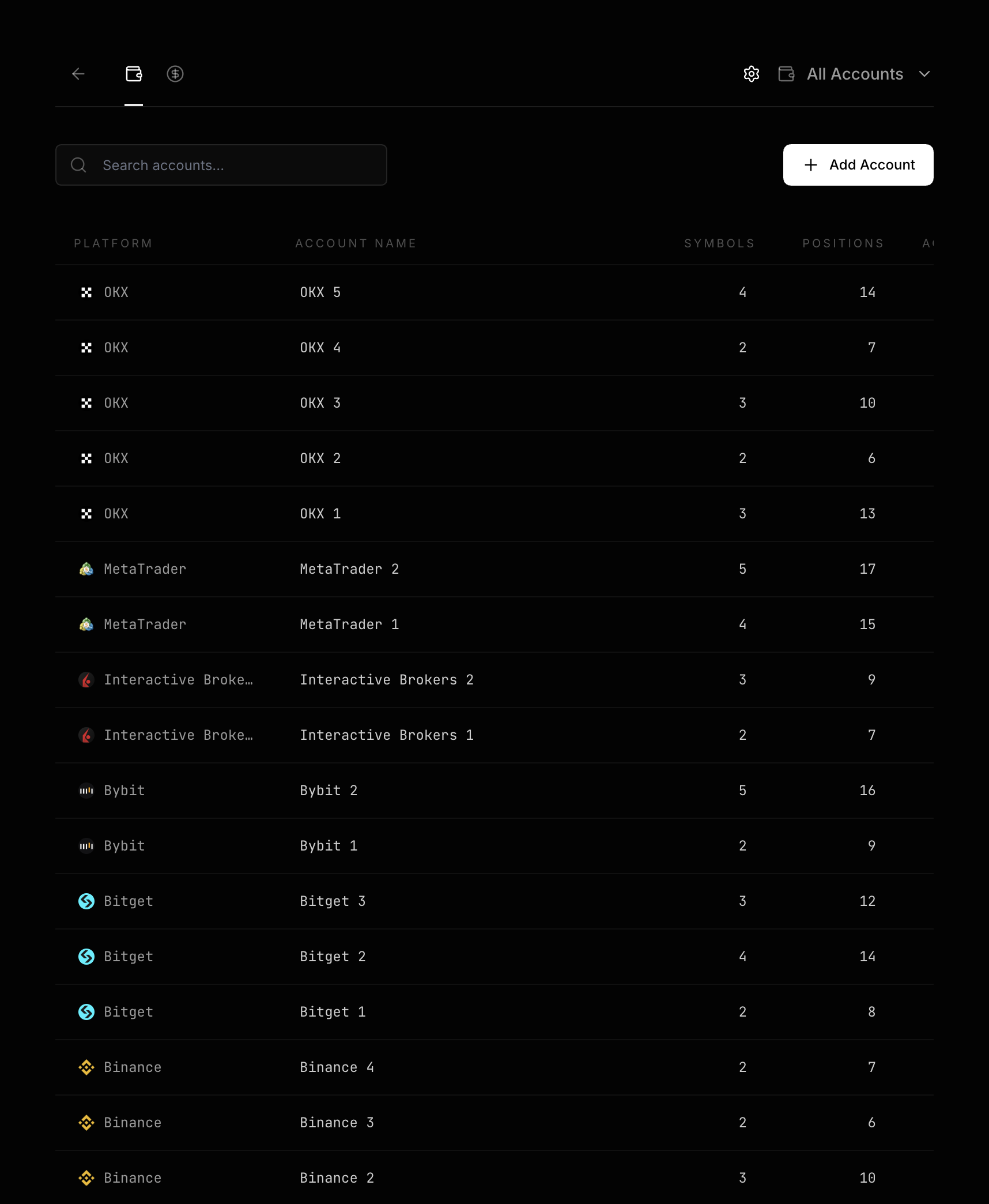
- Select an
Account Nameto change the display name. - Select
Symbolsto view the symbols in that account. - Select
Positionsto view the positions in that account. - Use
Actionsto delete the account.
Renaming an account updates the account file, every symbol file under that account, and the symbol references in positions.
Add a symbol
A symbol is a tradable instrument under an account. It also provides the rules used to calculate position quantity, notional value, and fees.
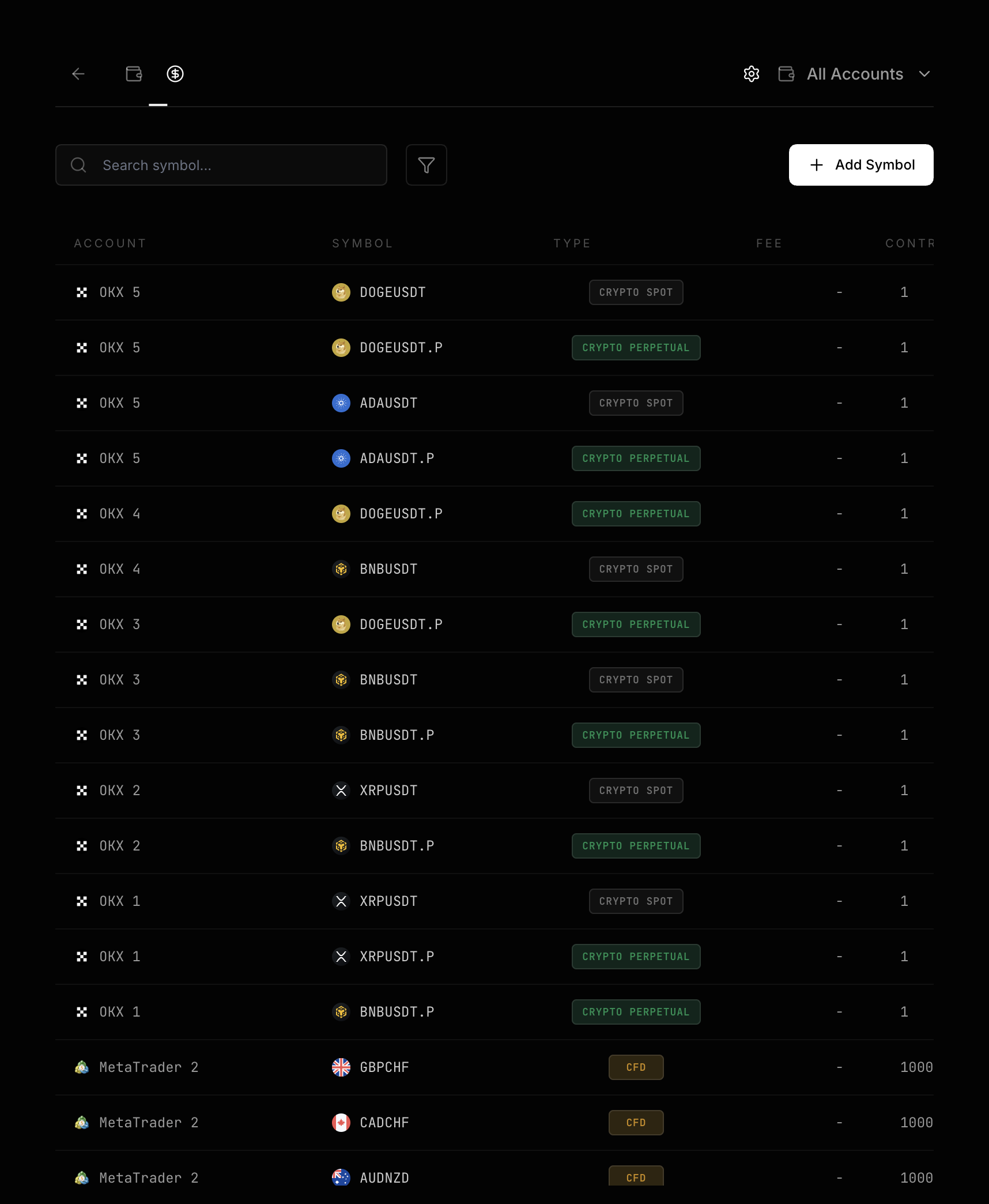
- Select the gear icon on the right side of the header.
- Open
Symbols. - Select
Add Symbol. - Choose an existing account under
Account. - Enter the instrument code under
Symbol. - Select
Add Symbol.
You cannot create two symbols with the same normalized name under one account. Different accounts can each have a symbol with the same name.
Symbol names are normalized
Leading and trailing spaces are removed from symbol names, and letters are converted to uppercase. Common inputs are saved with stable names:
| Input | Saved result | Inferred type |
|---|---|---|
DOGE/USDT |
DOGEUSDT |
Crypto Spot |
BTC/USDT:USDT |
BTCUSDT.P |
Crypto Perpetual |
ES |
ES |
Future |
XAUUSD+ |
XAUUSD |
CFD |
For spot, you can enter BTCUSDT or BTC/USDT. For perpetuals, enter BTCUSDT.P or BTC/USDT:USDT. For futures, enter ES. For CFDs, enter XAUUSD.
Verify type, fee, and contract unit
The Type, Fee, and Contract Unit values in the Symbols list affect position calculations.
Crypto SpotandCrypto Perpetualuse a fixed contract unit of 1.Feeis calculated as a percentage of notional value.Futureuses a built-in contract unit.Feeis calculated per contract.CFDuses a built-in or manually entered positive integer contract unit.Feeis calculated per lot.
Select Type to correct an inference result. You can also edit Fee and any editable Contract Unit directly in the list.
Check linked positions before deleting a symbol
When you delete a symbol under Actions in the Symbols list, the confirmation shows Delete Symbol? and lists Symbol File and Positions ({count}).
Where are the files saved?
- Accounts are saved in
LucrJournal/accounts/ACC-{Account Name}.md. - Symbols are saved in
LucrJournal/symbols/SBL-{Account Name}-{Normalized Symbol}.md.
LucrJournal uses file names to establish relationships between objects. Do not manually rename these files to duplicate names, and do not remove account or symbol information from their file names.
Next step
Continue to Record Your First Position and create a complete position record with the account and symbol you prepared.