Docs
Position Records
Review & Playbooks
Playbooks and Criteria
What Playbooks, Criteria, and Confluence are
These three concepts turn a vague review conclusion into a structure you can reuse.
| Concept | What it stores | Question it answers |
|---|---|---|
| Playbook | One repeatable trade setup | Which method does this trade belong to? |
| Criteria | One review stage or group of checks | Which conditions should I check before entry, while holding, or before exit? |
| Confluence | A named set of conditions that appears repeatedly | Which combinations actually appeared in this trade? |
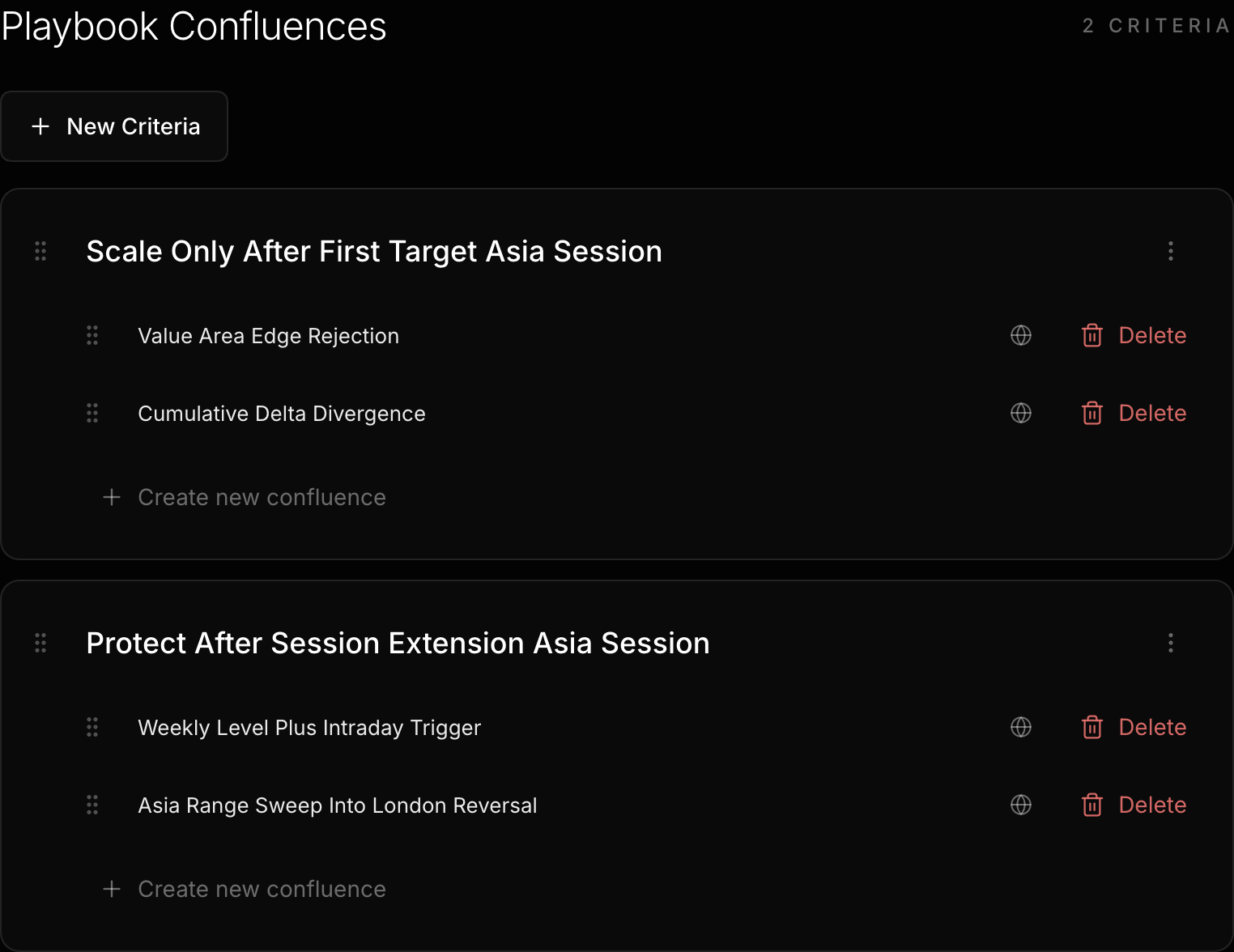
The interface represents checklist items as Criteria or Criteria sections. A Playbook contains several Criteria sections. Each section contains one or more Confluences.
How a Playbook stores its structure
A Playbook is a Markdown file. Its Name determines the filename. Description is stored in frontmatter. Criteria sections and Confluences are stored in the structured body.
The structured body recognizes only two levels of linked headings. A Criteria section is an H1. A Confluence under it is an H2. Regular headings, H3 headings, and handwritten text below a heading do not become structured content. Empty sections are not saved. Criteria section names must be unique, and Confluence names must be unique across the entire Playbook. These comparisons ignore letter case.
For extra free-form text, put a short summary in Description and keep single-trade experience in the position’s Notes. Do not mix unstructured content into the Playbook body.
Create a Playbook
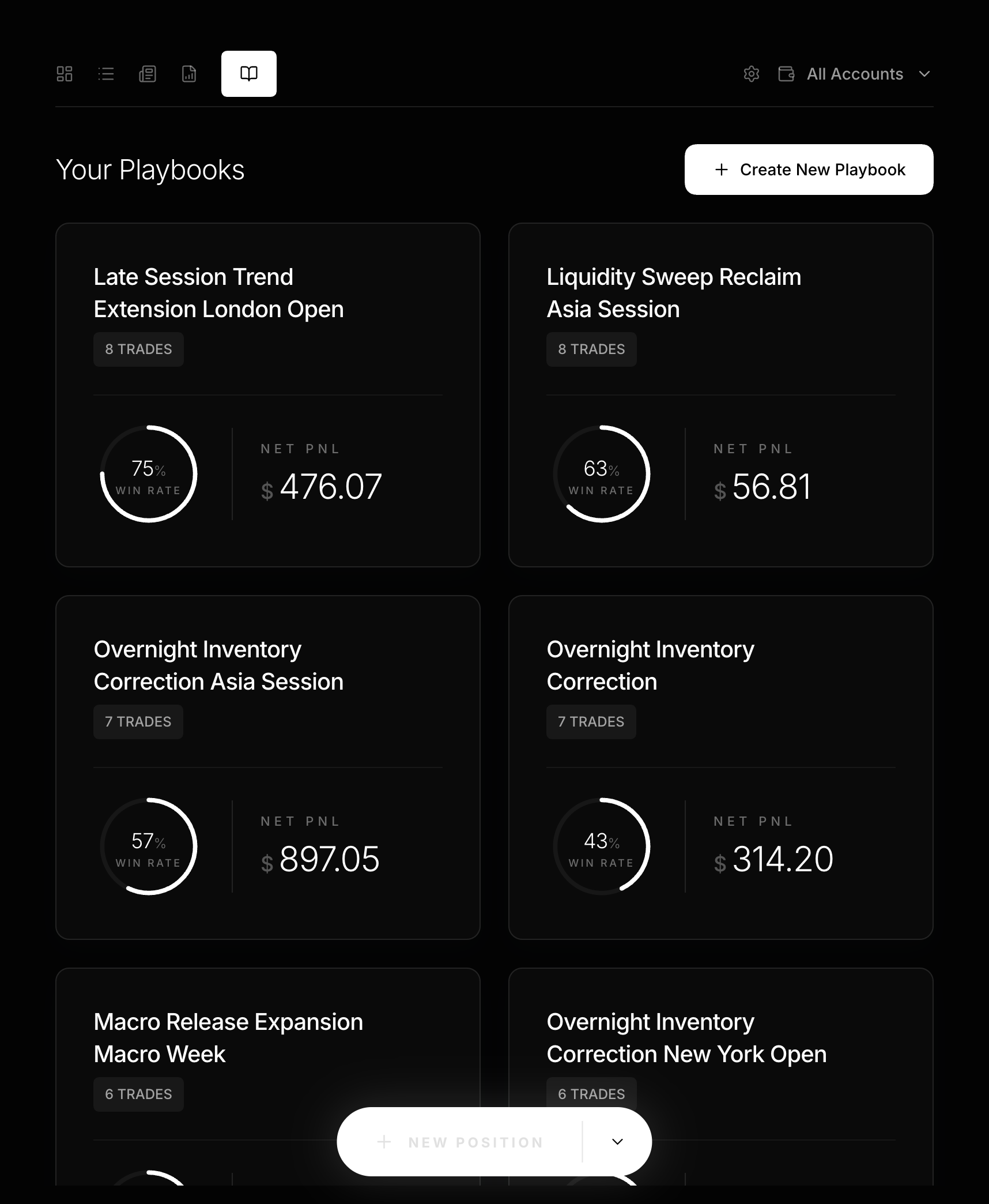
- Open
Playbookin the dashboard, then selectCreate New Playbook. - Enter a
Nameand an optionalDescription. A new form already has one Criteria section and one blank Confluence slot. - Under
Select or create a criteria section..., choose an existing criterion or enter a new name. - Under
Select or create a confluence..., choose an existing combination or enter a new name. - Select
New Criteriafor another section. SelectCreate new confluencefor another combination. - Check for duplicate names, then select
Save Playbook.
What saving creates
When you save, LucrJournal normalizes names and reuses existing files first. It creates a separate Criteria file for each missing Criteria section. It also creates any missing Confluence referenced by the Playbook before writing the body.
Confluences created through a Playbook are not Public by default. They do not appear in the dashboard’s public Confluence list, but they remain available in Playbooks. After a position links to the Playbook, it can also use private Confluences referenced by that Playbook. A position without a linked Playbook can select only Public Confluences.
Link a position to a Playbook
- Select a row in
Positionsto open Position Details. - Open the Playbook content area and select
Add playbook. - Choose an existing Playbook under
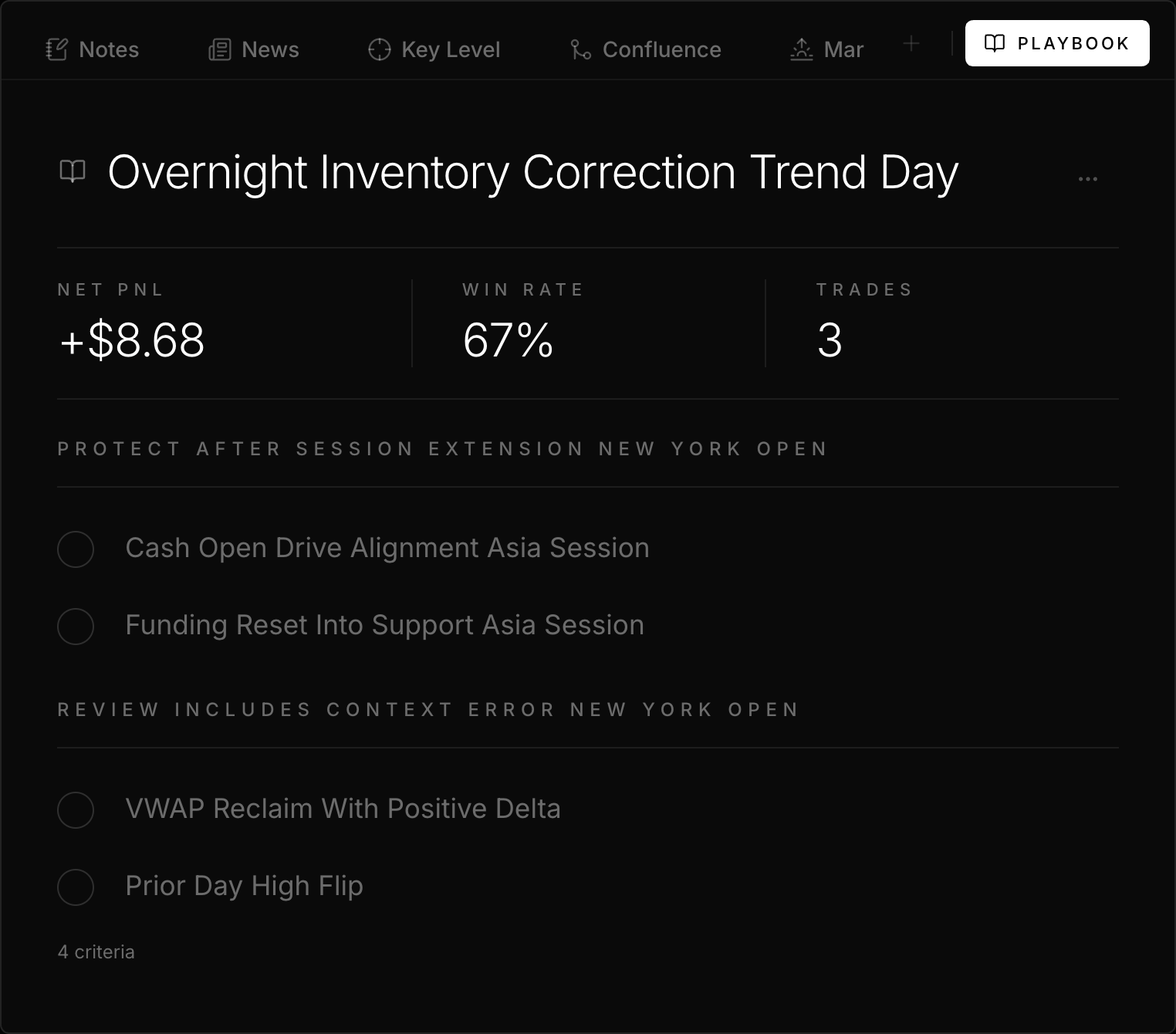
Search saved playbooks.... You can also enter a name to create a new one. - After linking, the position shows the Playbook’s Criteria sections, Confluences, Win Rate, Net PnL, and Trades.
- Check the Confluences that appeared in this trade. Checking adds a link to the position’s Confluence section. Unchecking removes only the link from the current position. It does not delete the original Confluence file.
The Playbook link is stored in the position’s playbook frontmatter field. LucrJournal includes a position in Playbook performance only when its link resolves to that Playbook file.
Maintain a Playbook with real samples
Use the same order for every periodic review:
- Return to linked positions from
Tradesin the Playbook. - Check wins, losses, and samples that missed the plan. Do not read only Win Rate.
- Add, rename, or remove a Criteria section or Confluence only after the same conclusion repeats.
- Save, then reopen related positions and confirm the criteria still describe real trades.
Trades includes every resolved linked position. Performance metrics use only closed positions whose Net PnL is a nonzero number. See Review Workflow for the complete denominator rules.
Continue reading
- Dashboard Daily Review: Find positions that need review from the dashboard.
- Context Notes: Understand Public and private Confluences and backlink statistics.
- Q&A: Resolve short usage questions.